
- Product
New! Create interactive reports with your LLM (Experiment)
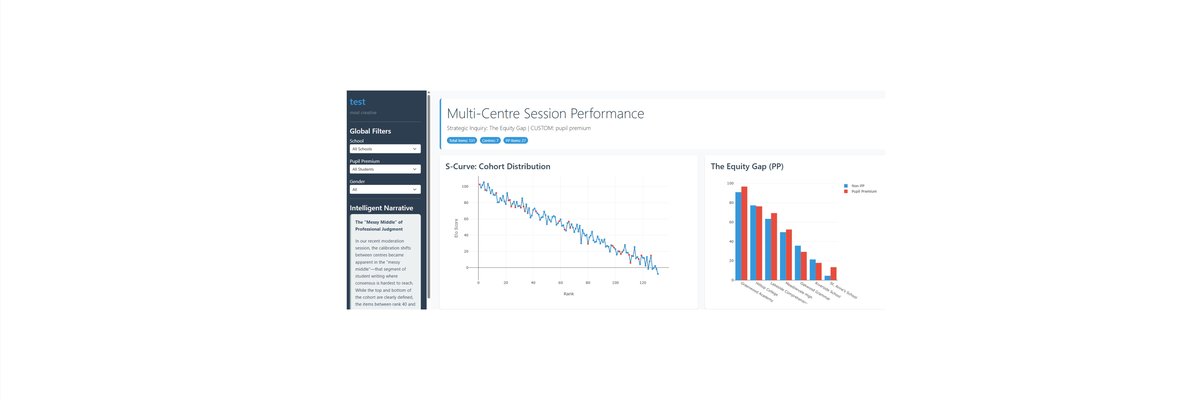
This is an experiment.
All RM Compare sessions can allow you to extract very detailed data sets (Advanced and Enterprise Plans). Our approach to data sovereignty and data privacy ensure that you are always in control.
We already provide you with some great reporting, however the latest Generative AI tools might be able to give you even greater insights.
We have created the experimental prompt generator to use with Data-Extracts. You can use these Demo Data sets if you do not have your own. You will see that we have created a single 'session' csv by bringing together the 5/6 csv's available to extract from each session.
- Generate you Prompt below. Copy it and add it to your AI tool.
- Add your 'combo' session extract (or download one of the Demo's)
- Run the prompt to generate the HTML file
- Save the HTML file and click to open your new interactive dashboard.
- Iterate by conversing with your AI tool (See our Training Centre for some advice)
Remember!!
- Always adhere to good data hygiene and consider carefully before adding any data to a public LLM (or equivalent).
- This is an experiment!
Notes
- 'Number of files' refers to the number of session csv's you are adding
- The first Dashboard you receive will hopefully have some value but you will need to check it carefully for accuracy (remember that AI can hallucinate and do other weird stuff) and will probably need some iteration to get it into the shape you want.
LLM Reporting Prompter (Experiment)
1
Identity & Sector2
Session MetadataAI Dashboard Example 1
Click to open
AI Dashboard Example 2
Click to open
AI Dashboard Example 3
Click to open