
Blog
Posts for category: Studio
-

New! Super-fast report generator
Getting powerful session reports from RM Compare is now much faster.
-

Understanding and achieving a stable rank
Achieving a stable rank is important. RM Compare reporting helps you to assess stability as a session progresses.
-

New! - Change Item Name
Before running an RM Compare session, Admins how have the opportunity to change Item names.
-

New! - Rotate Items
It's sometimes the smallest things that can make the biggest difference - the addition of a new rotate button overcomes one of the top user frustrations.
-
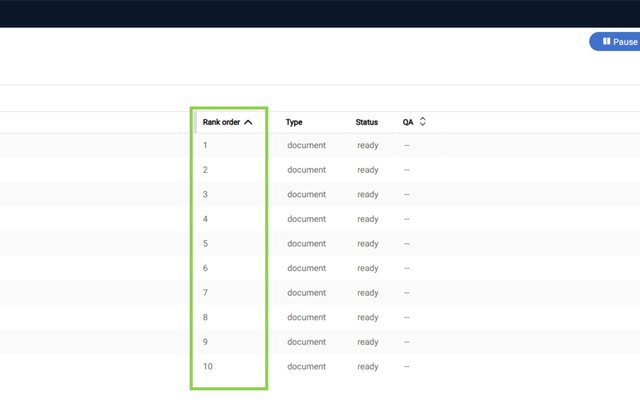
New! Viewing items in rank order
Sometimes it's the little things that can make the biggest difference. We know that users want to have a simple way of viewing Items in rank order. previously you could do this from the report interface - It is no possible to use a new simple sort feature in the UI.
-

New! View and filter items by rank order
As a session progresses there are several ways to view Items. It has not been easy however to view an item and understand where it is on the rank as the session is progressing, or at its conclusion......until now!
-

New! Quality Assurance Functionality
RM Compare sessions need to remain un-interrupted once they are running. Items cannot be removed or added. It is important therefore to ensure that all Items added to a session are carefully checked.
-

RM Compare Personalised and Accessible Viewing Controls
It is important that Judges can consider Items in a way that meets their personal preferences and needs. RM Compare works well on all major browsers and devices. It also offers a number of user controls in the interface.
-

Understanding the meaning of Parameter Values in an RM Compare report
In RM Compare sessions, parameter values are numerical representations of the relative quality or difficulty of the items being judged.