
- Product
📳Capture Items
Grab Items quickly from your devices and add them to your sessions
The RM Compare Companion App transforms professional judgment into a mobile-first experience.
Get started right away at https://buddy.compare.rm.com/ or use the QR Code
Check out our Roadmap to see where we are heading next.
It's easy to add Items captured on your device into RM Compare.
The Companion App will work on mobile, tablet or PC and is operating system agnostic (it is a web app).
Items synch seamlessly across devices to make session planning and delivery easy to save you time and effort, while opening up assessment across the curriculum.
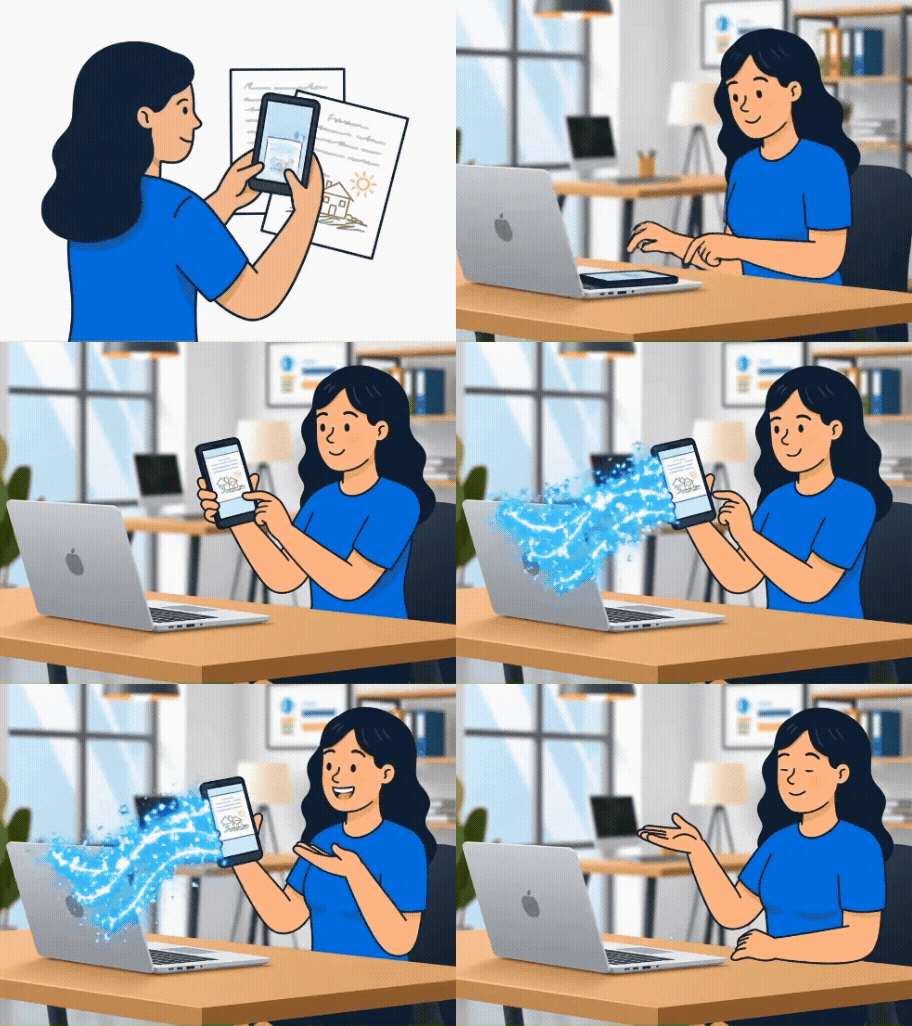
Synch Items in the Companion App
Items will be automatically synched into RM Compare💻|Studio so you can use them with full functionality.
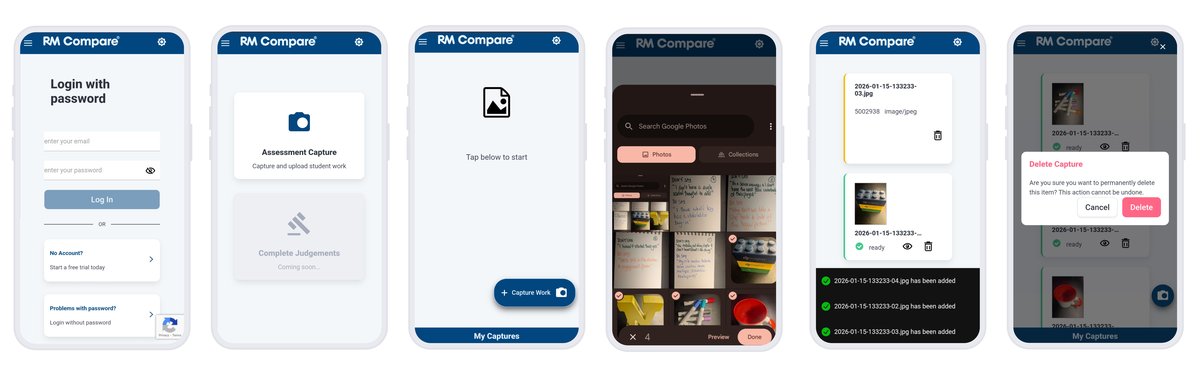
Capturing Items with the Companion App
We are confident that you will find the Companion App easy and intuitive to use, making it simple to quicky grab the Items you need from your device. If you need help just get in touch!
Synch captured items with RM Compare💻|Studio.
When you capture items in your Companion App they are automatically synched to your Item Bank which you will find in the Add Items element of RM Compare💻|Studio.
Assuming both RM Compare📳|Live and RM Compare💻|Studio are online the synch should be instant.

Quality assuring items in the Item Bank (RM Compare💻|Studio)
As part of your Quality Assurance process you will want to check the content of Items added to your Item Bank before adding them to your session.
You may also choose to rename Items (recommended).
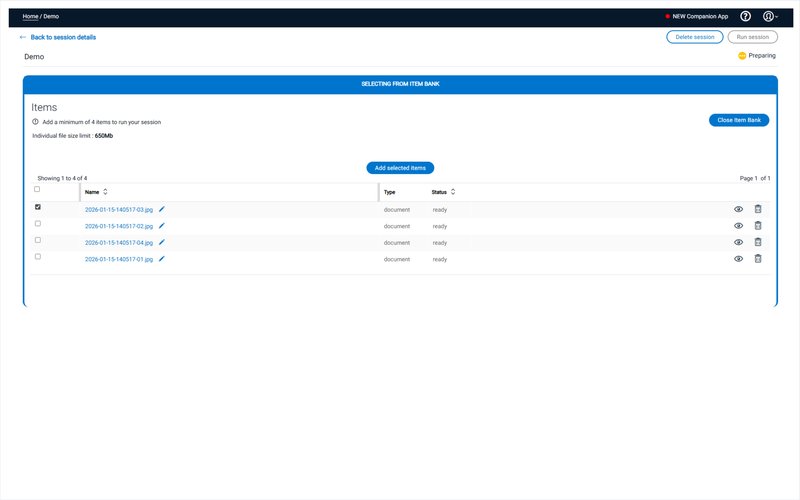
Inspecting Items in the Item Bank (RM Compare💻|Studio)
In some cases you may want to take a close look at each item in turn. You can flip through each Item in turn and re-name as you progress.
If you find an Item that is not as required, it is easy to delete and add it again using the Companion App.
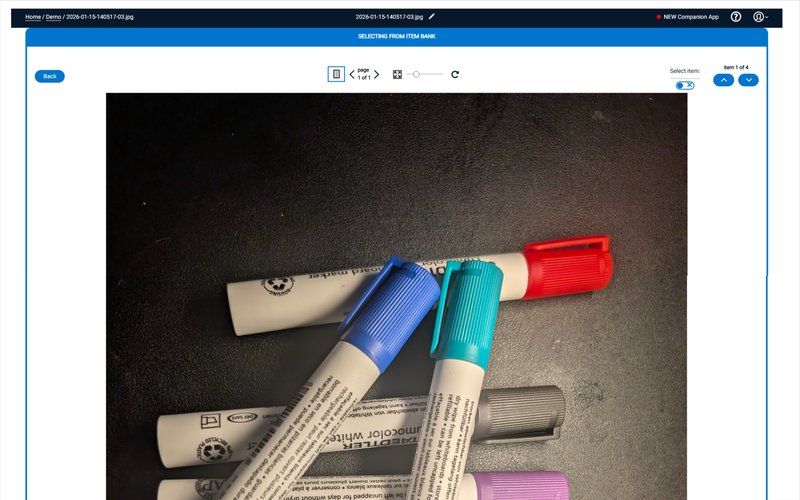
Items can only live in either the Item Bank OR a session
If you add an Item to a Session it will be removed from your Item Bank. You can use this Item again in other sessions at a later date by using the Add Items from Previous Session functionality.